
How to Activate Microsoft Office with a Product Key (2026)
Four ways to activate Microsoft Office with a product key, what replaced phone activation, and how to fix "Unlicensed Product" and common activation errors.
On this page
- Which Activation Method Do You Need?
- Before You Start: 3 Checks
- Method 1: Enter Your Product Key in an Office App
- Method 2: Redeem the Key at setup.office.com
- Method 3: Activate Office from the Command Line (ospp.vbs)
- Method 4: Activate Office Offline (Phone Activation Is Gone)
- How to Activate Microsoft 365
- Fix "Unlicensed Product" and Common Activation Errors
- Can You Use Office Without Activating It?
- Which Office License Should You Buy?
- Frequently asked questions
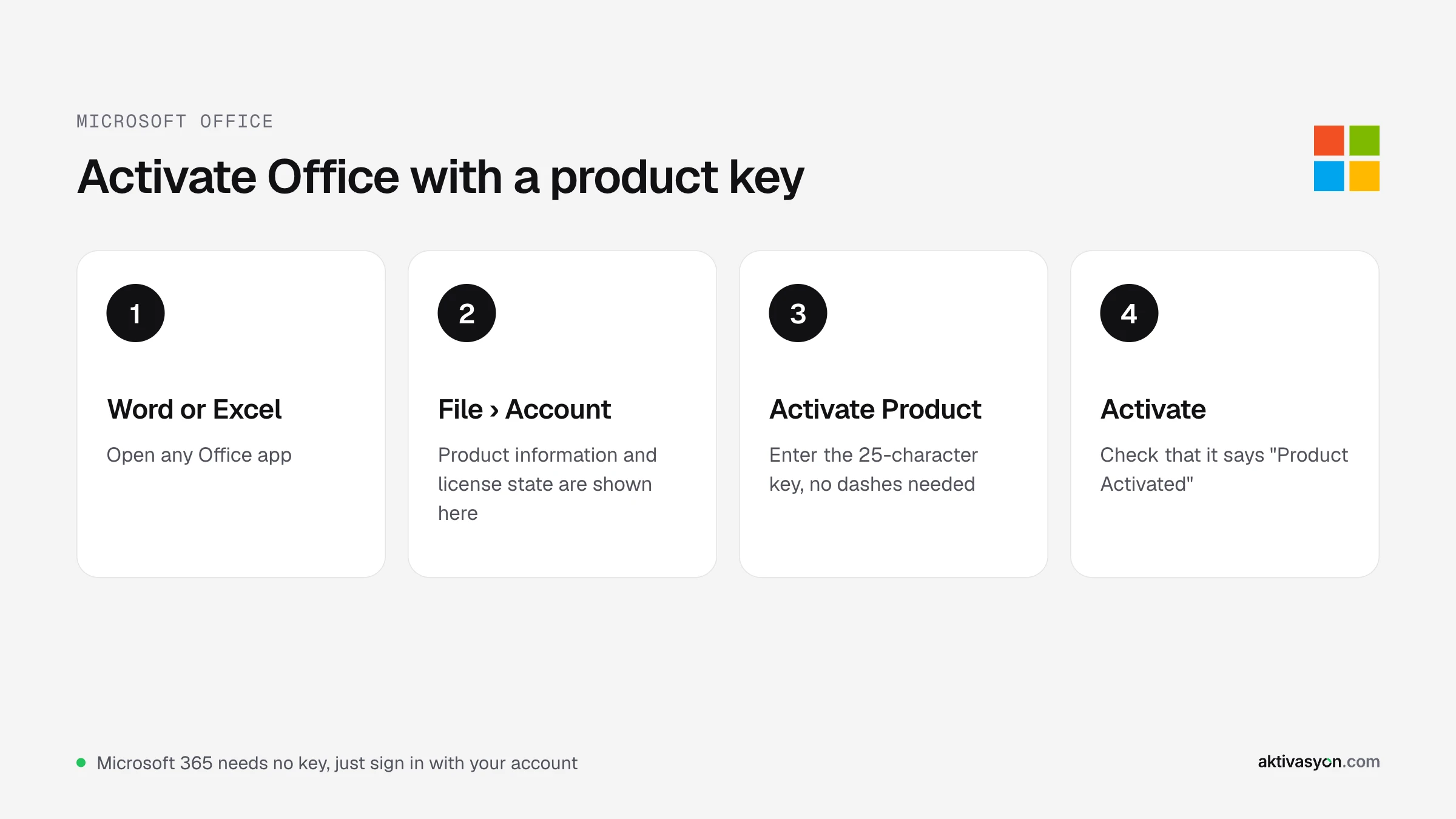
Quick answer: Open Word or Excel, go to File > Account, select Activate Product (or Change Product Key) and enter your 25-character product key. Retail Office Home and Home & Business keys are redeemed at setup.office.com first and then linked to your Microsoft account. Microsoft 365 uses no key at all: you just sign in with the account that holds the subscription.
The right method depends on the kind of license you have. Start with the table below, then follow the steps for your case. If activation fails, the error table near the end explains what each message means.
Which Activation Method Do You Need?
| Your license | How to activate |
|---|---|
| Office Home or Home & Business 2024 or 2021 (retail) | Redeem at setup.office.com, then sign in |
| Office 2024, 2021, 2019 or 2016 Professional Plus key | Enter the key in an Office app or with ospp.vbs |
| A PC with no internet connection | Offline activation with an installation ID |
| Microsoft 365 subscription | Sign in with the subscription account |
A key only activates the release it was made for. An Office 2024 key will not activate Office 2021, and a Professional Plus key will not activate a Home & Business installation.
Before You Start: 3 Checks
1. Remove other Office versions. Many new laptops ship with a Microsoft 365 trial. If that trial sits next to Office 2024, Office can't tell which license to use and keeps asking you to activate. Uninstall the versions you don't need in Settings > Apps > Installed apps and restart.
2. Use the matching installer. The installation has to be the same product and year as your key. If you bought a Professional Plus key, use the Professional Plus installer from your seller, not the Microsoft 365 installer from office.com.
3. Check the clock and your connection. Activation talks to Microsoft's servers. A wrong system date or a firewall that blocks Office will make it fail.
Method 1: Enter Your Product Key in an Office App
This works for every edition of Office 2024, 2021, 2019 and 2016.
- Open Word, Excel or PowerPoint. The activation wizard may open on its own the first time.
- If it doesn't, go to File > Account.
- Under Product Information, select Activate Product or Change Product Key.
- Type the 25-character key. You don't need the dashes.
- Select Activate and choose activate over the Internet in the wizard.
- Restart the app. When File > Account shows "Product Activated", you're done.
Tip: When you paste the key, check for a space at the start or end. The number 0 and the letter O, and 8 and B, are the characters people mix up most.
Method 2: Redeem the Key at setup.office.com
Retail products such as Office Home 2024 and Office Home & Business 2024 are tied to a Microsoft account. Once the key is redeemed, you never have to type it again, even after a reinstall.
- Go to setup.office.com in your browser.
- Sign in with your Microsoft account, or create one.
- Enter the product key and choose your country and language.
- Download Office from account.microsoft.com/services and install it.
- Open any Office app and sign in with the same account. Office activates itself.
Method 3: Activate Office from the Command Line (ospp.vbs)
If the activation window won't open, or you're setting up several PCs, use ospp.vbs, the licensing script that ships with Office.
-
Right-click Start and open Terminal (Admin).
-
Go to the Office folder. For 64-bit Office:
cd "C:\Program Files\Microsoft Office\Office16"For 32-bit Office the folder is
C:\Program Files (x86)\Microsoft Office\Office16. Office 2016, 2019, 2021 and 2024 all use the Office16 folder. -
Install your key (replace the Xs):
cscript ospp.vbs /inpkey:XXXXX-XXXXX-XXXXX-XXXXX-XXXXX -
Activate:
cscript ospp.vbs /act -
Check the result:
cscript ospp.vbs /dstatus
Look for LICENSE STATUS: ---LICENSED--- in the output. It also lists the license name and the last five characters of the installed key.
Method 4: Activate Office Offline (Phone Activation Is Gone)
The Office activation wizard still has an activate by telephone option. It shows a nine-block installation ID and asks for a confirmation ID in return.
What changed is where the confirmation ID comes from. Microsoft retired its automated phone line in December 2025, and callers are now sent to the online activation portal at aka.ms/aoh. To activate a PC that can't go online:
- In the Office wizard, choose activate by telephone and write down the installation ID.
- On a phone or another computer with internet access, open aka.ms/aoh and sign in with a Microsoft account.
- Enter the installation ID and type the confirmation ID the portal gives you into Office.
- Select Next. Office is activated.
If you bought your key from a seller, your delivery note may include extra steps for this part. Follow your seller's instructions.
How to Activate Microsoft 365
Microsoft 365 is a subscription, so it's activated by your account, not by a key.
- Sign in at microsoft365.com with the account that holds the subscription.
- Select Install apps and install Office.
- Open Word and sign in with the same account.
The apps stay activated as long as the subscription is active. When it ends, Office switches to read-only mode: you can open and print documents but not edit them. To move to a different account, sign out first under File > Account > Sign out.
Fix "Unlicensed Product" and Common Activation Errors
| Symptom or error code | What it means | What to do |
|---|---|---|
| "Unlicensed Product" in the title bar | Office isn't activated, or it can't read its license | Remove other Office versions, then enter your key again |
| "This product key isn't valid" | The key doesn't match the installed product or year | Install the edition your key belongs to (for example Professional Plus 2021) |
| 0xC004F074 | Office is trying to reach a KMS server and can't | A leftover KMS setting is likely. Reinstall Office cleanly and enter your own key |
| 0x8007007B | The installation expects a KMS-type key, or a name can't be resolved | Check the key type and enter it again with ospp.vbs /inpkey |
| 0xC004C060 or 0xC004C008 | The key is blocked or has reached its activation limit | Contact the seller you bought the key from |
| Activation prompt on every start | Two Office versions conflict, or the account and license aren't linked | Uninstall every Office version and install only one |
For a clean reinstall, remove Office in Settings > Apps. If the uninstall gets stuck, Microsoft's Office uninstall support tool removes what's left.
Can You Use Office Without Activating It?
Not for long. An unactivated Office enters reduced functionality mode after a short grace period: you can open and view files, but you can't create or edit them.
If you only need the basics, Office for the web (Word, Excel and PowerPoint at microsoft365.com) is free with a Microsoft account. For the desktop apps you need a license. Avoid "Office activator" and KMS scripts: they point Office at a fake KMS server, often ask you to switch off your antivirus, may carry malware, and an update can undo them, which is exactly when the 0xC004F074 error shows up.
Which Office License Should You Buy?
- You want to pay once and use Office for years: Office 2024, supported until October 2029.
- You need Publisher or must match an older setup: Office 2021. Support ended in October 2026, so it no longer gets security updates.
- Older PCs or company requirements: Office 2019 or Office 2016.
- Always up-to-date apps, cloud storage and several devices: Microsoft 365.
Compare every release on the Microsoft Office page.
Frequently asked questions
What happens if I don't activate Office?
After a short grace period Office switches to reduced functionality mode. You can still open and read documents, but you can't create new ones or edit existing ones, and "Unlicensed Product" appears in the title bar.
How do I find my Office product key on my PC?
Run `cscript ospp.vbs /dstatus` from the Office16 folder in an admin terminal. It shows only the last five characters of the key. The full key is in your Microsoft account, your purchase email or your seller's delivery note.
How many PCs can I activate with one Office key?
Office 2024, 2021, 2019 and 2016 keys are for a single PC. Using the same key on a second PC causes an activation error. A Microsoft 365 subscription lets you sign in on several devices, depending on your plan.
Will an Office 2021 key activate Office 2024?
No. An Office key only activates the release it was made for. To use Office 2024 you need an Office 2024 key.
Does Office phone activation still work?
The option is still in the Office wizard, but Microsoft retired the automated phone line in December 2025. Enter your installation ID at aka.ms/aoh to get the confirmation ID instead.
Do I need to activate Office again after reinstalling Windows?
Yes. If your key is linked to your Microsoft account, signing in with that account is enough. For single-activation keys, check your seller's terms before you reinstall.